

If you've ever used a NAS system with traditional hard disk drives (HDDs), you've likely encountered the following: waiting nearly half a minute to open a project file of tens of gigabytes in size; read/write speeds plummeting to below 30MB/s when two or three users access the NAS simultaneously; and the system almost completely stalling as the number of virtual machine snapshots increases.
These problems aren't caused by network speed or your computer's configuration; the root cause is the extremely low efficiency of traditional HDDs in handling random read/write operations. Specifically, HDDs only achieve 100 to 200 IOPS (Input/Output Per Second), while video editing or running multiple virtual machines simultaneously typically requires thousands of IOPS. The difference is two orders of magnitude.
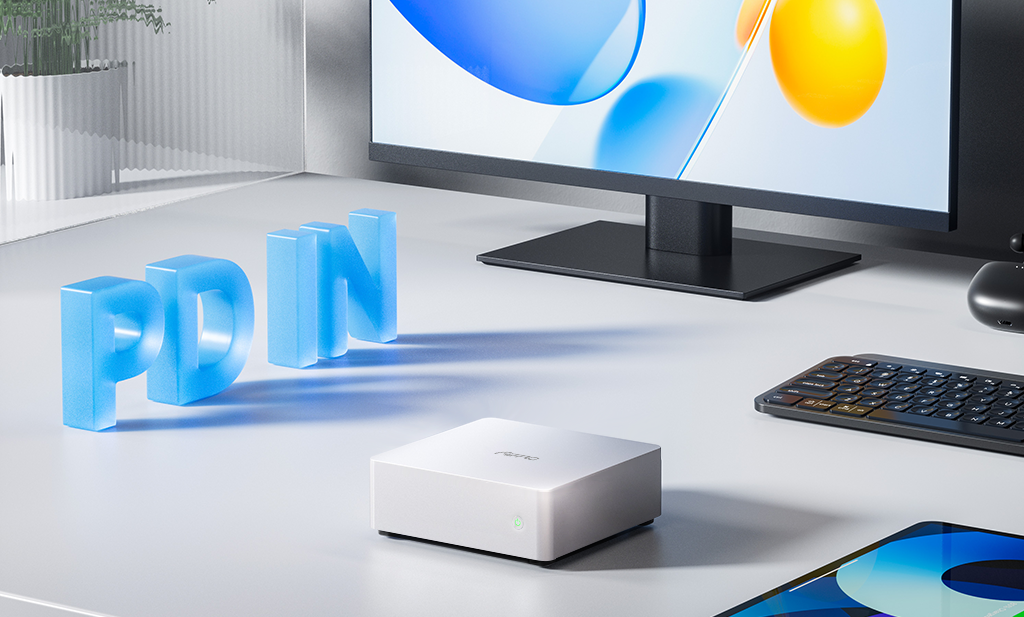
The solution to this bottleneck is to use an all-flash NAS. For example, our Aiffro K100, equipped with four M.2 SSD slots, easily achieves over 200,000 IOPS of random read/write performance. Combined with an operating system like TrueNAS or FreeNAS, data flow can be significantly optimized, resulting in a smoother and more efficient storage experience.
Why pair an all-flash NAS with TrueNAS or FreeNAS?
Some might ask, "Can't I just install a Windows shared folder?"
While you could, this is actually a waste. When all-flash hardware eliminates the bottleneck of physical latency, the performance limitations of the system software are magnified—if the file system isn't advanced enough, the caching algorithm is weak, and compression and deduplication are lacking, your expensive SSD space will be wasted.
TrueNAS (and its predecessor, FreeNAS), as an open-source storage system deeply optimized for all-flash, offers several core advantages:
-
Automatic Hotspot Caching: With the Aiffro K100's onboard 8GB LPDDR5 memory, TrueNAS keeps frequently accessed files resident in a high-speed layer, ensuring no performance loss during repeated reads and writes.
-
Intelligent Write Merging: Fully utilizing the low latency of SSDs, it aggregates scattered write requests, significantly improving write speed while maintaining data consistency.
Ultimate space management: Supports real-time compression, typically saving 20%-40% of SSD space; with FreeNAS, deduplication can also be enabled, saving significant costs for virtual machine images and backup files.
More importantly, TrueNAS and FreeNAS offer high openness, giving you complete control over storage pools, snapshots, replication, and encryption. Deploying Debian-based TrueNAS Scale on the Aiffro K100 allows you to launch services like Nextcloud, Plex, and MinIO with a single click, and even run Docker containers directly. In short, the combination of "one hardware + one system" provides you with a high-performance file server, a disaster recovery backup machine, and a lightweight virtualization platform simultaneously.
The Aiffro K100 hardware is designed for TrueNAS/FreeNAS.
Let's look at the K100's specific configuration to understand why it's a good choice for an "entry-level enterprise all-flash NAS":
Four M.2 SSD slots (PCIe Gen3 x2). In TrueNAS, you can set up RAID 10 or RAID-Z, offering both performance and security. M.2 directly connects to the CPU, resulting in lower latency than SATA SSDs.
Intel N100 processor + 8GB LPDDR5 memory. Although the N100 has a TDP of only 6W, its performance is stronger than the older i5-6500, more than enough for running web pages and several services on TrueNAS. 8GB of memory is exactly the starting capacity recommended by ZFS.
No operating system is included by default. This is actually an advantage—you can directly download the TrueNAS or FreeNAS ISO, write it to a USB drive, connect HDMI and a keyboard, and install it in ten minutes. It avoids being locked into a custom system by the manufacturer. Additionally, the VESA bracket allows the K100 to be mounted behind a monitor or in a low-voltage box, saving space.
A real-world example
A 10-person architectural design firm completely transformed their workflow after replacing their old mechanical hard drive NAS with an Aiffro K100 equipped with TrueNAS Scale.
Each design workstation is connected to a switch via a 2.5G Ethernet cable, directly accessing this small box. They created three dedicated folders within the system:
projects for CAD drawings, with compression enabled to save space; vms for virtual machine images, with optimized read/write block sizes for smoother operation; and backup for full backups, with deduplication and snapshot functions enabled for both security and space saving.Because the K100 is entirely composed of solid-state drives (SSDs), even when several designers simultaneously open large assemblies several gigabytes in size, the system response time is less than 1 millisecond—previously 15-20 milliseconds with mechanical hard drives. Now, designers no longer have to stare blankly at loading bars. They also conveniently installed MinIO as object storage and used Jellyfin to view review videos; all data is read from the SSD, resulting in incredibly smooth performance.
What's most surprising is that this device is smaller than a thick book, taking up almost no space in the corner of the office. Because it doesn't have a mechanical hard drive, the fan is quiet, and you can't hear a sound in the entire office. Even under full load, the power consumption is less than 25 watts (including all SSDs), and the electricity cost is only one-third of that of a traditional four-bay mechanical NAS, saving a lot of money over a year.
Finally, a few words
Small and medium-sized enterprises often struggle with the dilemma: buying branded all-flash arrays is too expensive (often tens of thousands of yuan), while DIY is risky due to concerns about reliability. The Aiffro K100, with its small chassis, four M.2 slots, and 2-year warranty, combined with a professional open-source system like TrueNAS or FreeNAS, is currently a very cost-effective option.
After installing TrueNAS or FreeNAS, you'll get more than just a simple shared folder—you'll have enterprise-grade storage with snapshots, replication, encryption, RAID-Z, and container applications. Ditch the slowdowns and lag of the mechanical hard drive era.
More information: Visit aiffro.com for detailed specifications of the K100, TrueNAS community tutorials, and warranty policies.



Hinterlasse einen Kommentar
Diese Website ist durch hCaptcha geschützt und es gelten die allgemeinen Geschäftsbedingungen und Datenschutzbestimmungen von hCaptcha.